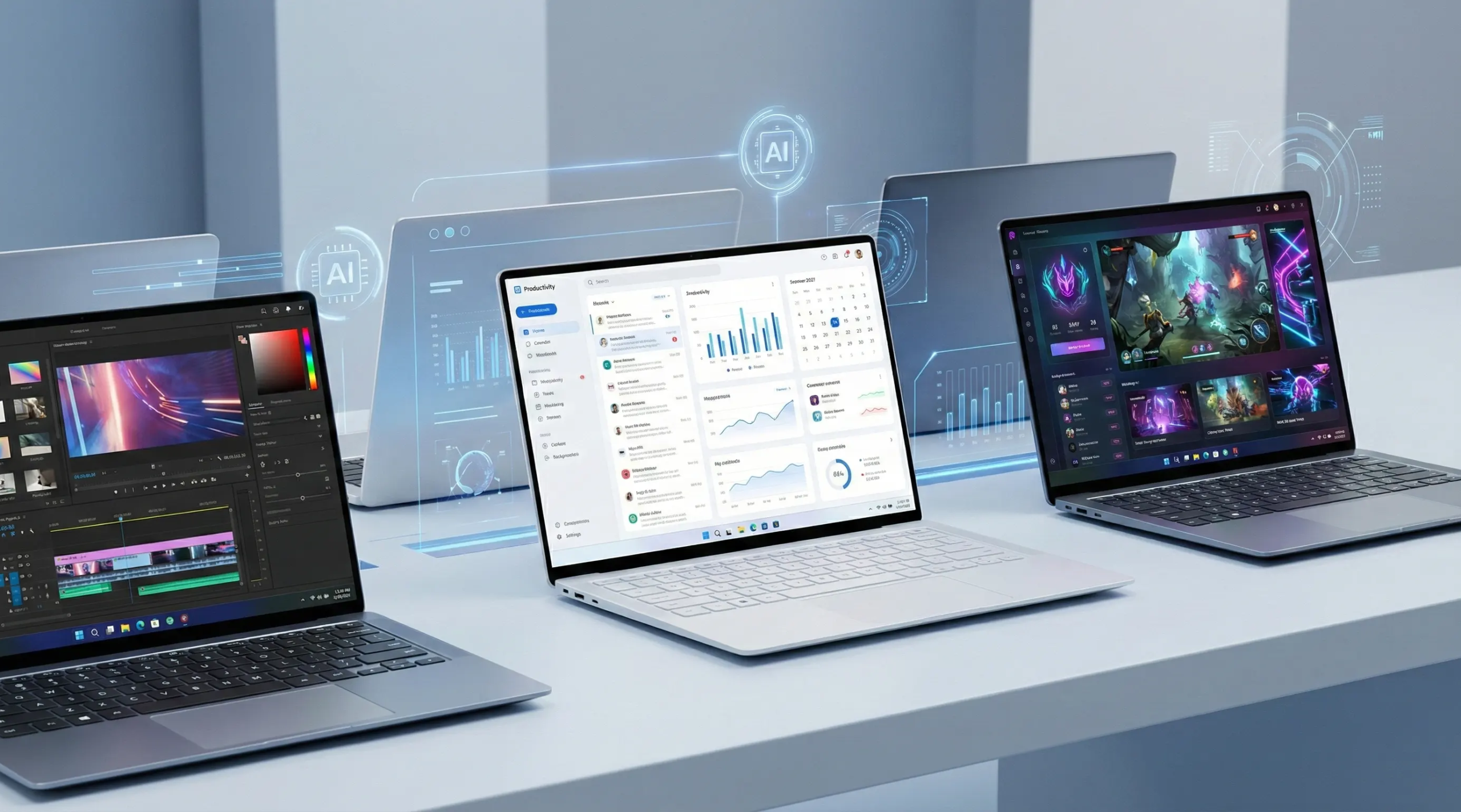
Laptops have become one of the most essential devices for students in Bangladesh because they are now used for online classes, assignments, presentations, freelancing, programming, graphic design, video editing, and entertainment. In 2026, laptops offer faster processors, AI features, improved battery life, OLED displays, and high-speed SSD storage. However, choosing the right laptop for students can still be confusing because of the large number of brands, specifications, and price ranges available in the market. Many students either overspend on unnecessary features or buy underpowered laptops that struggle with daily academic tasks. Understanding your actual needs before purchasing is the key to making the right decision.
Things Students Should Consider Before Buying a Laptop
Before choosing a laptop for students, students should focus on several important factors instead of only looking at price or design.
- Processor (CPU)
The processor is one of the most important parts of a laptop because it affects overall speed, multitasking, and software performance. In 2026, students should avoid outdated processors as modern educational tools and browsers require better performance. Intel Core i3 and AMD Ryzen 3 processors are suitable for basic tasks like browsing, online classes, and Office applications. For most university students, Intel Core i5, Core Ultra 5, or AMD Ryzen 5 processors are the best choices because they provide smoother multitasking and better long-term performance. Students involved in programming, engineering, editing, or heavy workloads should consider Core i7, Core Ultra 7, or Ryzen 7 processors.
Apple MacBooks with M-series chips are also popular among students because of their excellent battery life and optimized performance. The M1 and M2 chips are still powerful for most academic and creative tasks, while newer M3 and M4 chips offer even better performance for editing, programming, and professional workloads.
- RAM Requirements
RAM is important for smooth multitasking because it allows multiple applications to run at the same time without slowing down the laptop. In 2026, 8GB RAM should be considered the minimum for students since browsers, meeting apps, and productivity tools consume more memory than before. Students using Office applications, online classes, and regular study tools can comfortably use 8GB RAM, while programming, design, and editing students should ideally choose 16GB RAM for better long-term usability and smoother performance.
- SSD Storage
SSD storage is now essential for student laptops because it makes the system much faster and more responsive than traditional HDD storage. SSDs improve boot times, software loading speed, and overall multitasking performance. In a laptop for students, they should always avoid HDD-only laptops in 2026 because they feel noticeably slower. A 256GB SSD is enough for basic academic use, while 512GB SSD storage offers a better balance for software, assignments, multimedia files, and daily productivity. Students involved in gaming or video editing may benefit from 1TB SSD storage.
- Display Quality
Display quality is extremely important for students because laptops are often used for long study sessions, assignments, online classes, and entertainment. In 2026, Full HD resolution should be considered the minimum standard for student laptops because it provides sharper visuals and better clarity compared to lower-resolution displays. IPS panels are highly recommended because they offer better viewing angles and more accurate colors. Students involved in graphic design, photography, or video editing may benefit from OLED displays because they provide deeper contrast and vibrant colors. Anti-glare displays are also useful for reducing reflections and improving comfort during long study hours. MacBooks are also known for their high-quality Retina displays, which offer sharp visuals, accurate colors, excellent brightness, and a smooth viewing experience, making them ideal for creative work and long-term use.
- Battery Backup
Battery life is extremely important for students who attend classes, travel frequently, or study outside their homes. A laptop with weak battery backup can become inconvenient during lectures or presentations. A laptop for students should have at least 6 to 8 hours of regular battery life in any model laptop. Modern ultrabooks and AI-powered laptops now provide better efficiency and fast charging support, allowing users to recharge quickly between classes or study sessions.
- Lightweight and Portable Design
Portability is another important factor because many students carry laptops to universities, libraries, coaching centers, and workplaces. Heavy laptops can become uncomfortable during daily commuting. Thin-and-light laptops are increasingly popular in Bangladesh because they provide a good balance between portability and performance. Laptops weighing under 1.5kg are considered excellent for portability, while gaming laptops are usually heavier because of larger cooling systems and dedicated graphics hardware.
- Graphics Card (GPU)
Not every student needs a dedicated graphics card because integrated graphics are enough for browsing, Office work, online classes, and presentations. However, students studying architecture, engineering, animation, graphic design, video editing, or 3D rendering may require dedicated GPUs for smoother performance. Modern graphics cards like NVIDIA RTX 4050 and RTX 4060 are suitable for creative workloads, gaming, and AI-related tasks.
- Budget Planning
Students with budgets under 40,000 Taka can find basic laptops suitable for online classes, browsing, Office work, and regular study tasks. The 40,000 to 60,000 Taka range is one of the best choices for university students because it offers Core i3/i5 or Ryzen 3/5 processors, 8GB RAM, SSD storage, and Full HD displays. With budgets between 60,000 and 90,000 Taka, students can get more powerful laptops for programming, multitasking, and graphic design. Premium laptops above 90,000 Taka are ideal for gaming, engineering, video editing, and professional workloads because they include powerful processors, RTX graphics cards, and advanced cooling systems.
Windows Laptop or MacBook?
Choosing between a Windows laptop and a MacBook depends on budget, software requirements, and personal preference. Windows laptops are more popular among Bangladeshi students because they are available in a wider range of prices, support gaming better, and are compatible with most academic software. MacBooks, on the other hand, are known for premium build quality, excellent battery life, and smooth software optimization. They are especially popular among content creators, designers, and video editors, although their higher prices make them less suitable for budget-conscious students.
Common Mistakes Students Make before buy a laptop
Many students make mistakes by focusing too much on design or marketing instead of long-term performance and usability. Buying a laptop for students with outdated processors, only 4GB RAM, or HDD storage often results in slow performance after a short period. Some students also ignore battery backup and portability even though these features are important for daily academic use. Another common mistake is not checking warranty and after-sales service before purchasing. Proper research and understanding of personal requirements can help students choose a laptop that provides better value and long-term reliability.
Where Can You Buy Official Laptops in Bangladesh?
In 2026, many trusted computer retailers in Bangladesh now offer official laptops with genuine warranty support, EMI facilities, and nationwide delivery services. However, students should always buy from reliable laptop shops to avoid unofficial products, seller warranty issues, or refurbished devices sold as new. One of the most popular and trusted options is Star Tech Ltd Leading Computer, Laptop & Gaming PC Retail & Online Shop in Bangladesh, where students can find official laptops from brands like HP, ASUS, Lenovo, Acer, Dell, MSI, and Apple with official warranty support.